Built for Wheel Strategy Traders

Run the Wheel Without the Guesswork

Without a clear cost basis, you can sell a covered call below break-even without realizing it. Stocksicle gives you a single live view so you always know your income, risk, and next move. No spreadsheets required.

$0To get started
AutoCost basis calculated
On TrackMonthly income goal
See how the wheel works

No credit card. Takes 2 minutes to log your first position.

Stocksicle app. Track your wheel strategy positions.
Scroll to explore

Built for the wheel strategy. Track puts, shares, and calls in one workspace.

100% free to start
No card required
No broker login required
Your data stays yours
Any device, any browser
"I had like four spreadsheets going and still wasn't sure if my cost basis was right after rolling a few times. Stocksicle just handles all that. I open it, everything's there, and I actually trust the numbers." — Trenton N.
"Honestly I was just trading whenever, no real plan. The income goal tracker made me actually set a number each month and work toward it. Having something to track against changed how I approach it." — Jeremy N.
"I'm way more of a visual person so the charts are what got me. Being able to see my allocation and how my premium has trended over time actually makes the strategy click for me in a way the numbers alone never did." — Sarah T.
Features

Everything you need to run the wheel

Track each leg, keep the history straight, and know your cost basis.

Position Tracking

Track covered calls, cash-secured puts, and share positions with trade details including strike, expiration, and premium.

  • Covered Calls
  • Cash Secured Puts
  • Share Positions

Campaign Management

Group trades by ticker into campaigns. Review the full wheel cycle from puts to calls.

  • Group by ticker
  • Legs in order
  • Archive completed

Adjusted Cost Basis

Keep a running cost basis that accounts for premium collected. See where you stand at a glance.

  • Auto calculated
  • Premium adjusted
  • Commission tracking

Portfolio performance dashboard Pro

Charts for allocation, P and L, net premium over time, and trade activity.

  • Allocation and performance charts
  • Net premium timeline
  • Included with Pro

Dividend Tracking

Log dividend payments for share positions. See totals by campaign and across your portfolio.

  • Per position tracking
  • Timeline view
  • Total summaries
account_balance

Trading accounts

Free includes one brokerage profile with up to 5 ticker symbols and unlimited trades per ticker. Pro unlocks unlimited tickers and unlimited accounts so you can separate IRA, taxable, and more.

  • Up to 5 tickers on Free. Unlimited on Pro.
  • Quick switching between profiles
  • Default account for new entries
In the app

Your wheel book, not a spreadsheet

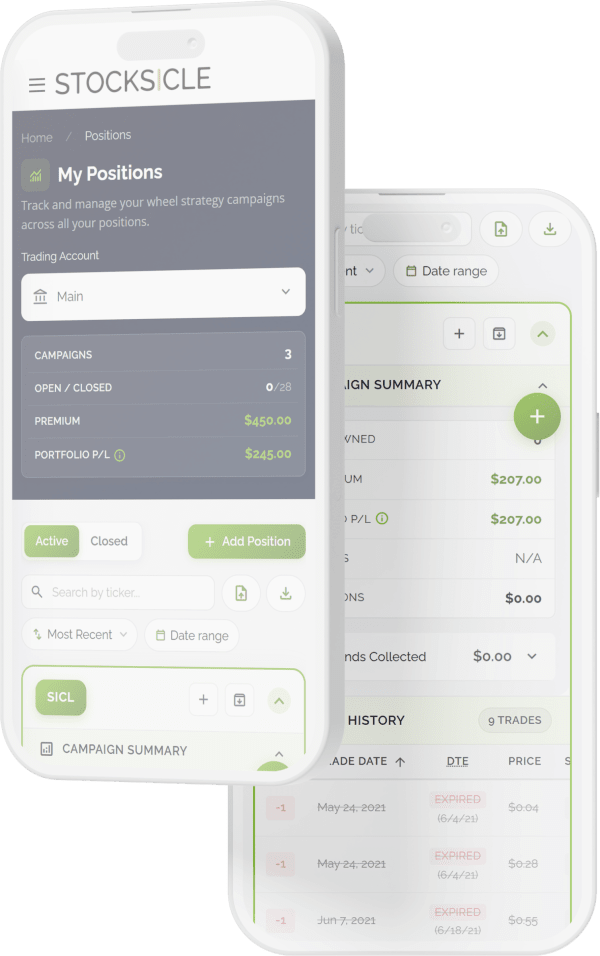
See active campaigns, sort and filter (including expiring soon), and jump into trade history per ticker. It's the hub for day-to-day wheel tracking.

  • Filters for active vs archived and contracts nearing expiration
  • Campaigns grouped by ticker with legs in chronological order
  • Net premium and basis context without leaving the list
stocksicle.com/positions
Planning & goals

Tools beyond tracking

Plan trades and measure income targets with the same tools you use after you log in.

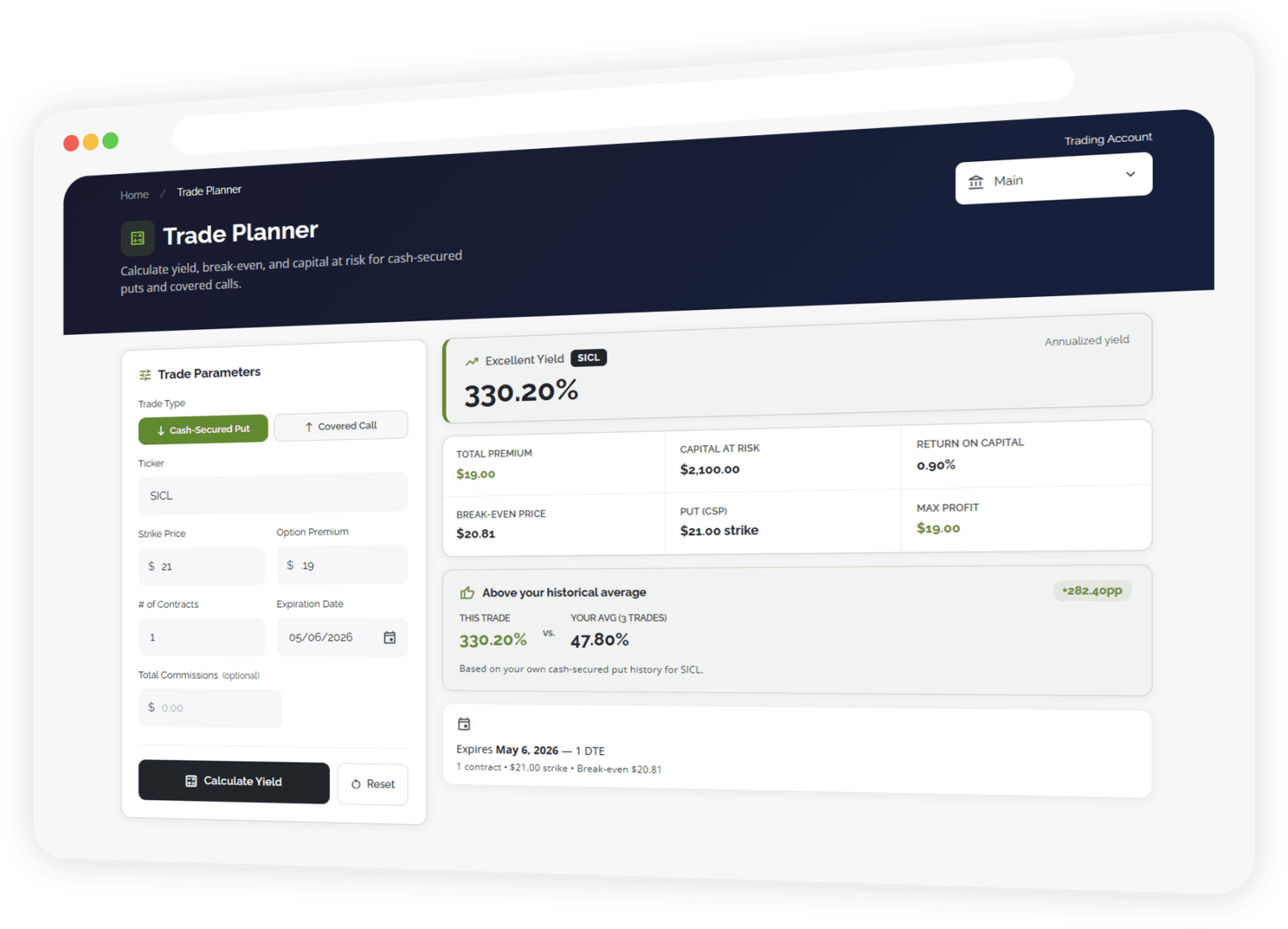
Wheel Trade Planner

Model a cash-secured put or covered call before you trade: annualized yield, break-even, capital at risk, and DTE. Compare it against your own historical averages, without relying on external quote feeds.

Preview of the Wheel Trade Planner
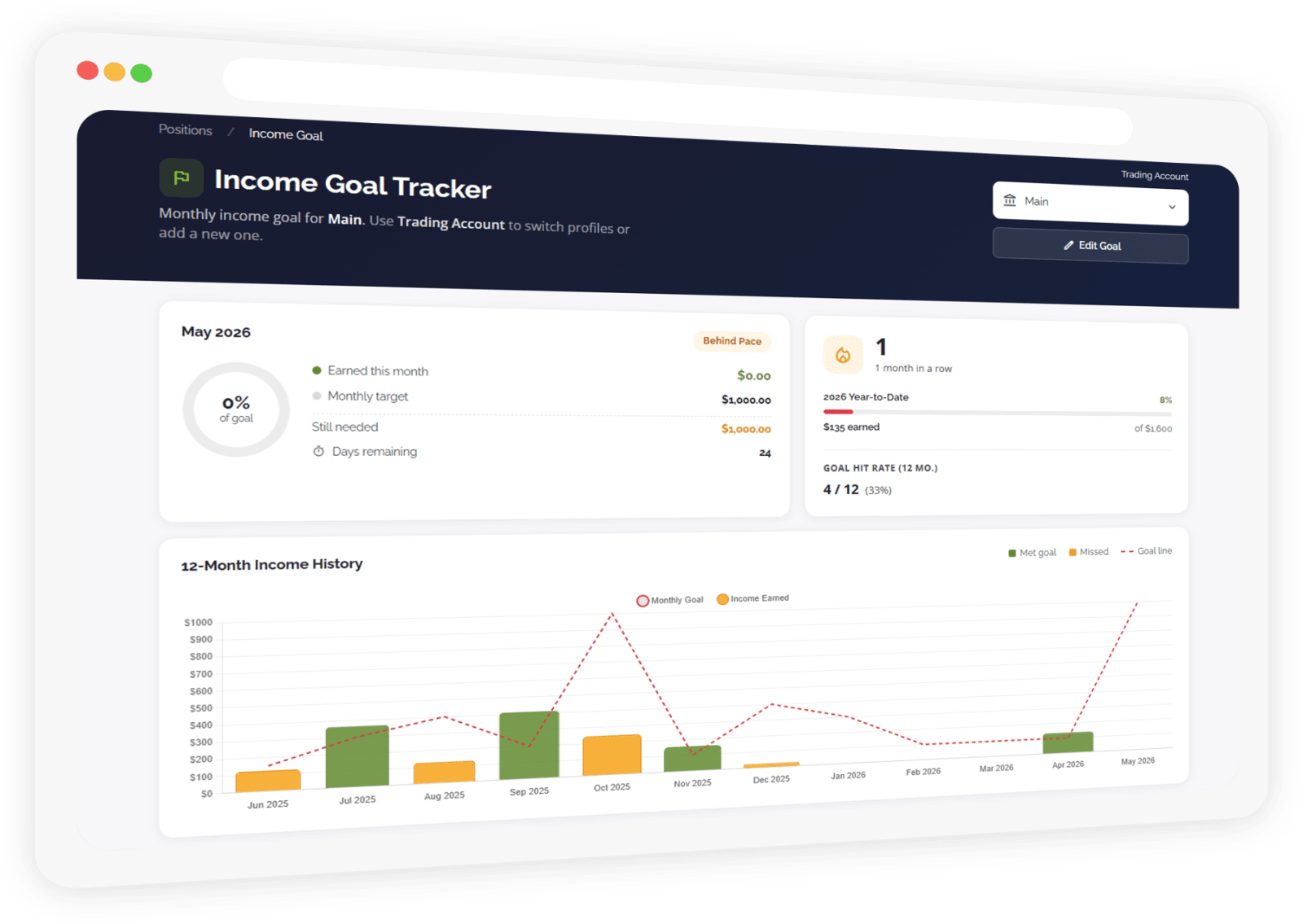
Preview of the Income Goal Tracker

Income Goal Tracker

Set a monthly premium target per brokerage profile, track progress against realized premium, and review history.

Pro

Performance dashboard only on Pro

$9.99/month  ·  or $99/year — less than $9/month billed annually

Your free plan already includes full wheel tracking on Positions, campaigns, cost basis, expiring tags, and net premium per ticker. Pro adds this separate dashboard: charts, timelines, and tools you don't get on the free tier plus unlimited brokerage profiles and CSV import.

Interactive chartsAllocation and visual analytics, not available on the basic Positions view
Pro features over timeMonth by month net premium timeline and portfolio charting
All accounts in one viewRoll up every brokerage profile. Free includes one; Pro unlocks unlimited
CSV import BetaPro only. Supports Fidelity, Webull, and E*Trade with more brokers coming soon. Export is free for all users.

Roll Positions

Easily roll your options to new expiration dates while tracking the full history.

pie_chart

Allocation charts Pro

Visualize portfolio distribution across tickers and position types on the performance dashboard.

Trade history

Every option and share leg for a ticker, in order so you can see how each campaign built up over time.

Wheel Trade Planner

Estimate yield and break-even on hypothetical CSPs and covered calls before you pull the trigger.

Income goal tracker

Monthly premium target, progress for the current month, and history. Stay accountable to your income plan.

Watchlist

Watch tickers with quick price context alongside positions. Handy when you are deciding what to wheel next.

How It Works

The wheel strategy, visualized

Need a quick refresher. Here is the cycle.

1

Sell Cash Secured Puts

Start by selling puts on stocks you want to own. Collect premium while waiting for assignment.

Collect Premium
2

Get Assigned Shares

If the stock drops below your strike, you buy shares at a discount (strike minus premium received).

Acquire Stock
3

Sell Covered Calls

With shares in hand, sell calls above your cost basis. Collect more premium while holding.

Generate Income
4

Repeat the Cycle

When shares are called away, return to step 1. The wheel keeps turning, generating consistent income.

Rinse and repeat

Stop guessing. Start tracking.

Know your cost basis, your income, and your next move — on every ticker, every cycle. Free to start, no spreadsheet required.

Free forever on the base plan. No credit card required.